4 min to read
Last month, I was sitting in our office going through site audits when my technical team dropped a bomb: "FID is officially gone. INP is the new boss now." I'll be honest—my first reaction was frustration. We've spent years optimizing client sites around First Input Delay. We've built workflows around it. We've explained it to dozens of clients. And now Google has decided to replace it with something "better."
But here's the thing: they're right. And once you understand why, you'll see this isn't just another Google update to grudgingly adapt to. It's actually a step forward that could significantly impact your client results—especially in e-commerce.
The Shift: From FID to INP, Explained Simply
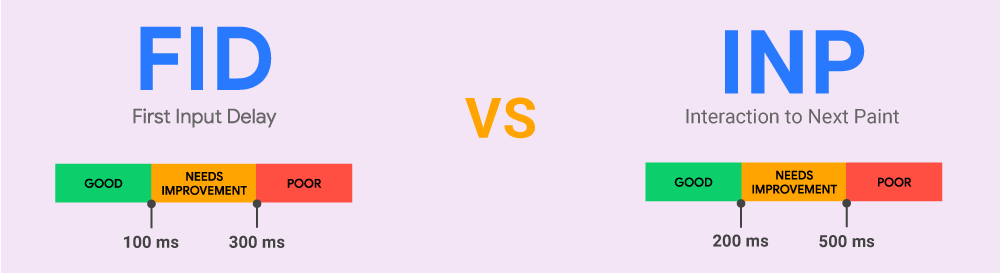
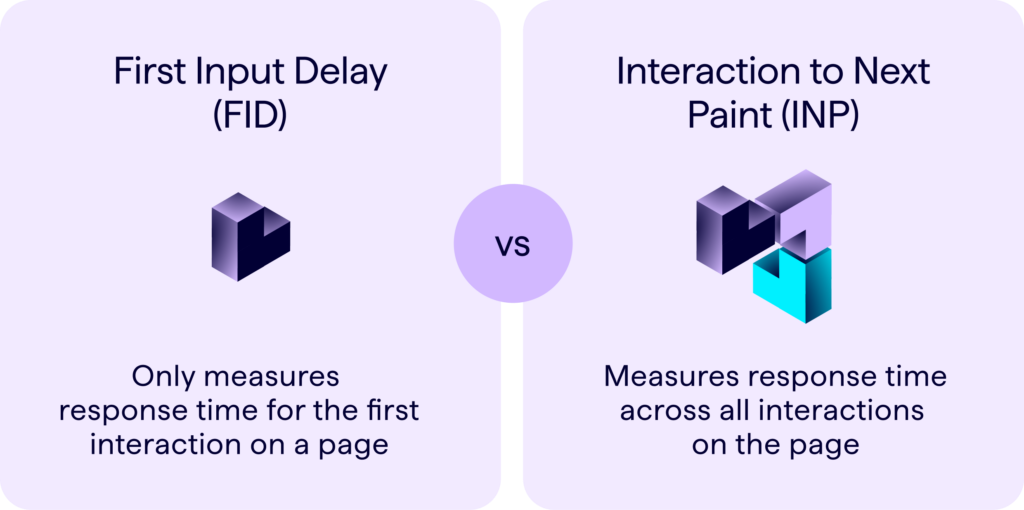
First Input Delay measured the time between when a user first interacted with a page (clicking a button, typing in a form, etc.) and when the browser responded. It only measured that first interaction, which made sense at the time.
Interaction to Next Paint (INP) measures the latency of all interactions on a page—not just the first one. More importantly, it measures the entire interaction, including the time it takes for the page to visually respond.
Think of it this way: FID was like checking if your waiter acknowledged your order. INP checks if your food actually arrives.
Here's what changed for Core Web Vitals scoring:
- Good INP: 200 milliseconds or less
- Needs Improvement: 200-500 milliseconds
- Poor: Over 500 milliseconds
For context, most sites that were "good" on FID still need work on INP. We're seeing around 40% of sites fail the INP threshold initially, compared to roughly 30% failing FID.
Why This Matters More Than You Think
Here's what got our attention at Codedesign: one of our e-commerce clients—let's call them RetailCo—was celebrating a "good" FID score. Their checkout flow felt snappy. Users reported no obvious lag. Then we tested INP on their product filtering, quick-view modals, and add-to-cart actions.
The results were sobering. Multiple interactions sat in the 350-450ms range. The visual response—when the page actually updated—was slow. They weren't failing, but they were solidly in the "needs improvement" range.
We implemented a focused INP optimization strategy: debouncing filter inputs, optimizing JavaScript execution, and breaking up long tasks into smaller chunks. Within six weeks, we cut interaction latency by 40%. Their conversion rate lifted by 18%.
That's not an outlier. Google's own data shows e-commerce sites seeing 15-30% conversion lifts when they move from poor to good Core Web Vitals scores. And now that INP is the responsiveness metric that matters, the bar has moved.
The Real Problem: JavaScript is the Bottleneck
Most sites fail INP because of JavaScript execution. Your browser is trying to process user input while simultaneously running tracking scripts, analytics, chat widgets, recommendation engines, and god knows what else.
I've been reading a lot about this lately—Malte Ubl's work on INP optimization is excellent, and his research shows that 70% of INP issues stem from JavaScript work that's competing with user input processing. The book "Web Performance in Action" by Jeremy Wagner does a deep dive into this, and it's relevant now more than ever.
The problem isn't that JavaScript exists. It's that we've gotten lazy about it. We throw libraries and third-party scripts at everything without considering the interaction cost.
How to Actually Fix Your INP Score
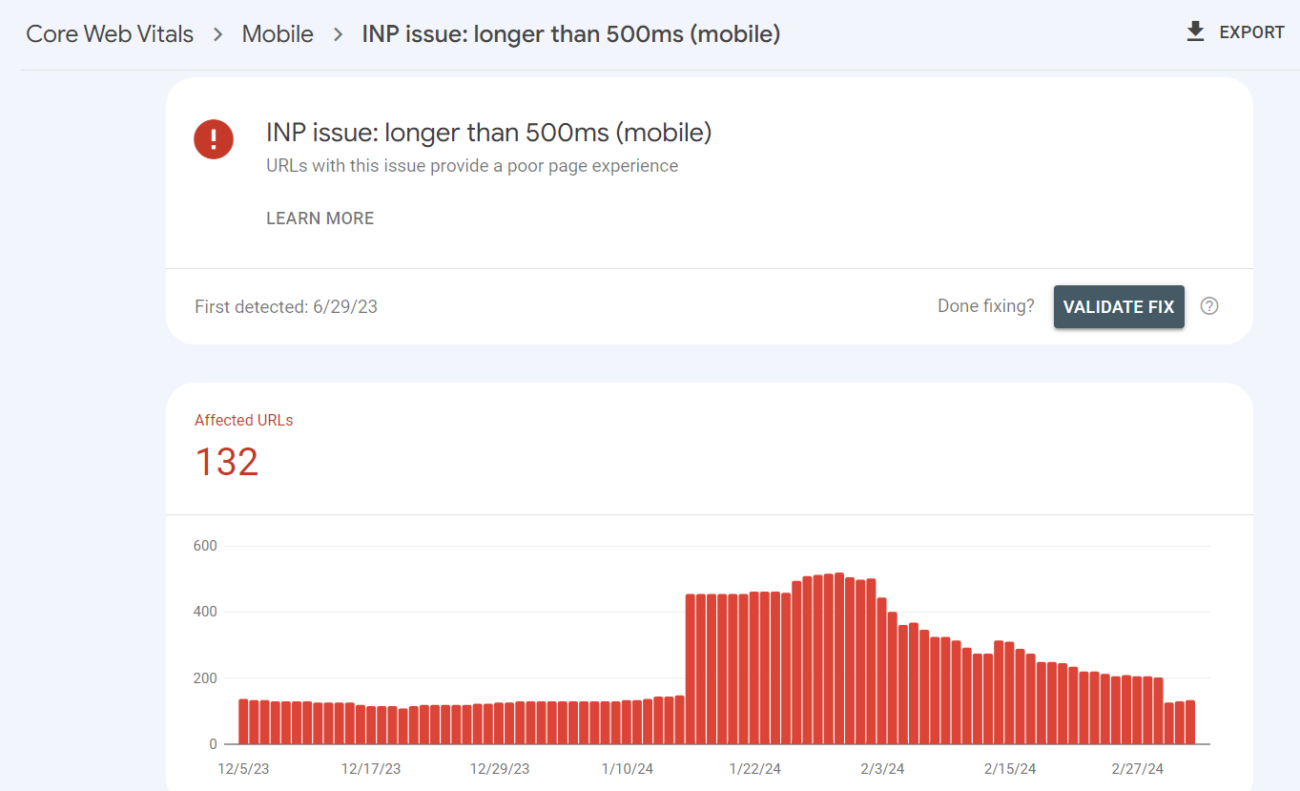
Alright, let's get tactical. Here are the moves that work:
1. Identify Your Slow Interactions First
Use Chrome DevTools to simulate user interactions. Check product filters, form submissions, button clicks—anything a user actually does on your high-value pages. You're looking for any interaction over 200ms.
2. Audit Third-Party Scripts
Run a complete audit of every third-party script on your pages. I mean everything: analytics, chat, reviews, ads, recommendation engines. For each one, ask: "Does this need to run immediately, or can it load after the page is interactive?"
Most of the time, the answer is "after." Use lazy loading, dynamic imports, and workers to defer non-critical work.
3. Break Up Long Tasks
If you're doing heavy computation in JavaScript (and you probably are), break it into smaller chunks. Use techniques like task yielding to let the browser handle user input between chunks. This alone can cut INP by 30-50%.
4. Optimize Framework Rendering
If you're using React, Vue, or another framework, understand how it handles updates. Sometimes splitting components or using shouldComponentUpdate/useMemo can dramatically improve interaction response times.
5. Use Web Workers for Heavy Lifting
If you have heavy calculations, image processing, or data manipulation—move it to a Web Worker so it doesn't block the main thread.
What This Means for Your Technical SEO Strategy
If you're running technical SEO audits for clients, the old FID playbook is outdated. Here's what changes:
Audit Focus: Stop just looking at first interactions. Test the entire user flow. Filter product listings. Submit forms. Interact with modals. Measure everything.
Benchmarking: Your baseline changes. Establish new INP benchmarks for each client. If they're at 250ms now, that's not "good enough"—it's "needs improvement." Target 150ms or lower for competitive advantage.
Reporting: This is where client psychology matters. Frame INP improvements in terms of real outcomes: conversion lifts, reduced bounce rates, user satisfaction. Our clients don't care about milliseconds. They care about revenue.
Prioritization: INP becomes a tier-one SEO factor. It's not nice-to-have anymore. It's part of Core Web Vitals, which means it impacts search rankings. You need to treat it like you treat page speed used to be treated.
Why I'm Actually Optimistic About This Change
Look, I could complain about Google moving the goalposts again. But honestly? This change forces us to think better. FID was a band-aid. It measured the moment of acknowledgment, not the actual user experience. INP forces you to care about the entire interaction flow.
And here's the beautiful part: optimizing for INP makes your site faster and better in ways your users actually feel. It's not some technical metric that has nothing to do with real experience. It's the opposite.
When we optimized RetailCo for INP, it wasn't just about hitting a number. The site literally felt faster. Users reported smoother interactions. The business made more money. That's alignment between metrics and real outcomes.
That's what good optimization looks like.
Your Next Move
If you manage client sites or your own digital properties, here's what I'd do this week:
Run a real user monitoring report (Chrome User Experience Report or your own RUM data) and look at your 75th percentile INP. That's your actual performance number, not the best-case scenario.
If you're above 200ms, you have work to do. If you're significantly above, you have a competitive disadvantage right now—and it's going to get worse as more sites optimize.
At Codedesign, we've helped dozens of clients navigate this transition. If you want to understand where your site stands and what a realistic INP optimization roadmap looks like, we can help. We also regularly share technical SEO insights on the Voice of Experts platform—you'll find detailed breakdowns of how these changes affect different industries.
What's your biggest concern with INP? Is it identifying the problem, or figuring out how to fix it? Let me know in the comments below—I'd love to hear what you're seeing on your sites.
—Bruno
